Dashboard Clone
Step 1: Open A Dashboard
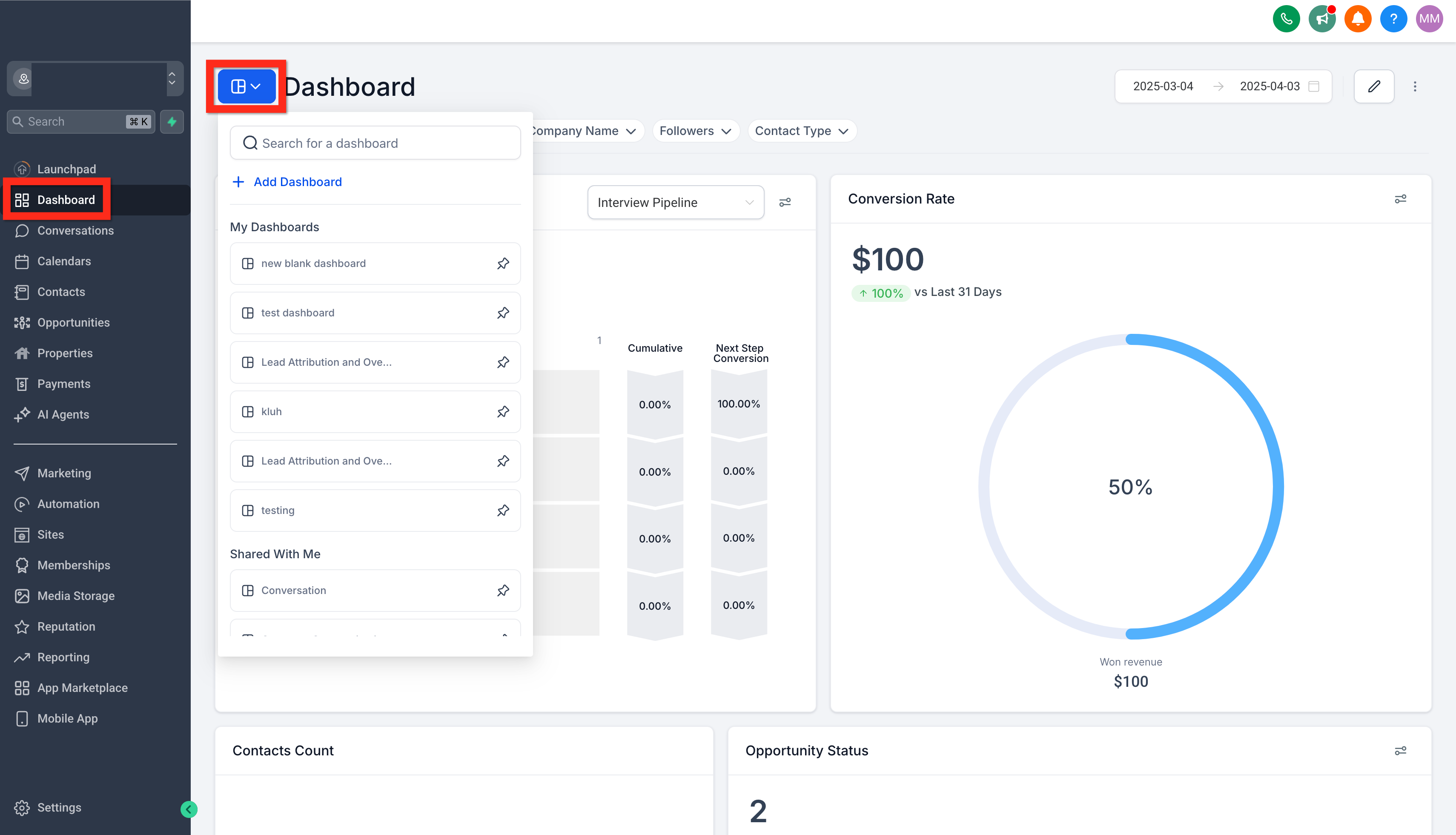
Navigate to Account > Dashboard and click on the dashboard selection menu. Search or browse for your target dashboard. Select it to open for viewing and editing.
Step 2: Clone The Dashboard
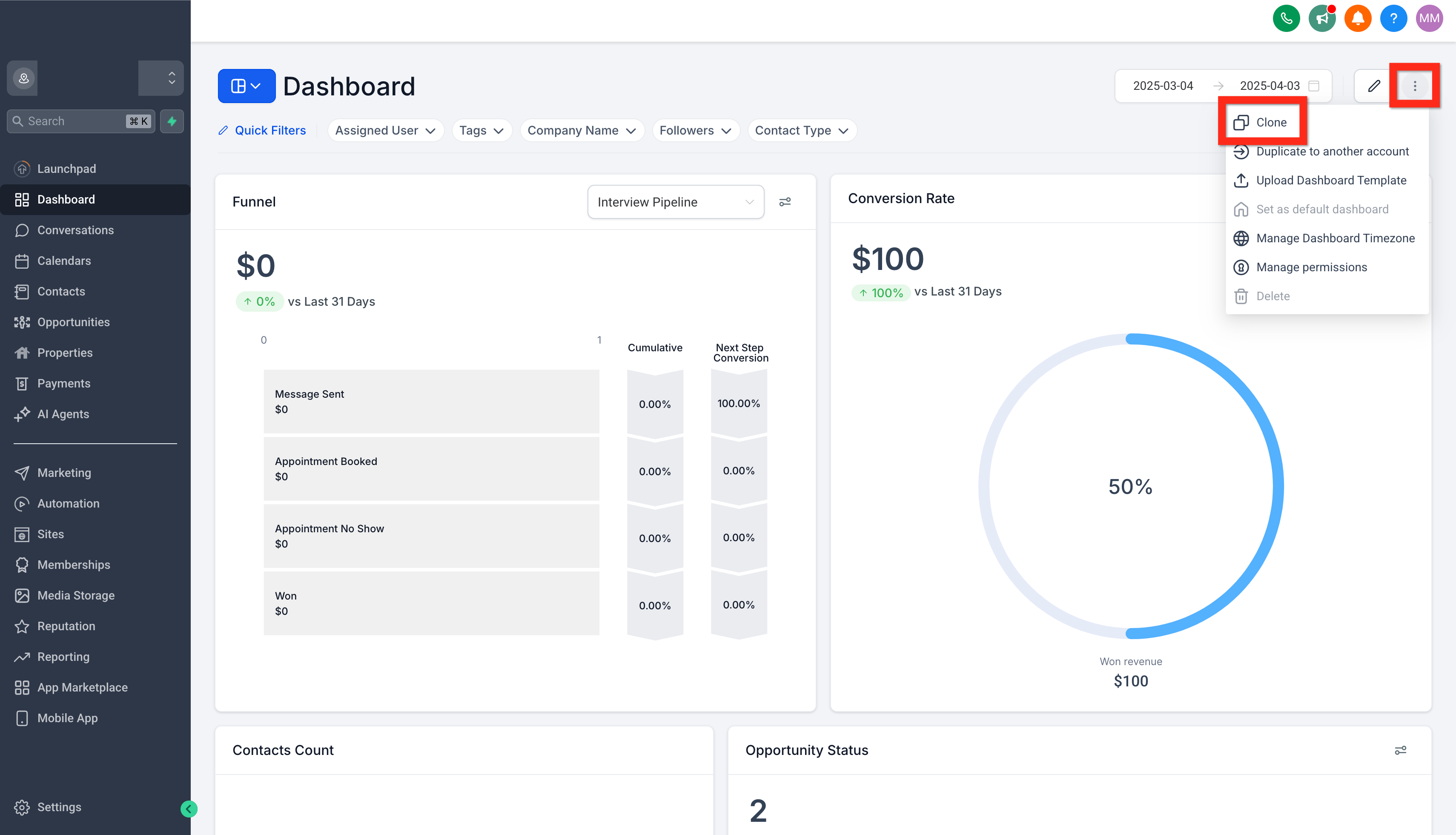
On the original-dashboard, click the action menu (3 dots) and click the clone button.
Step 3: Configure and Save Dashboard Clone
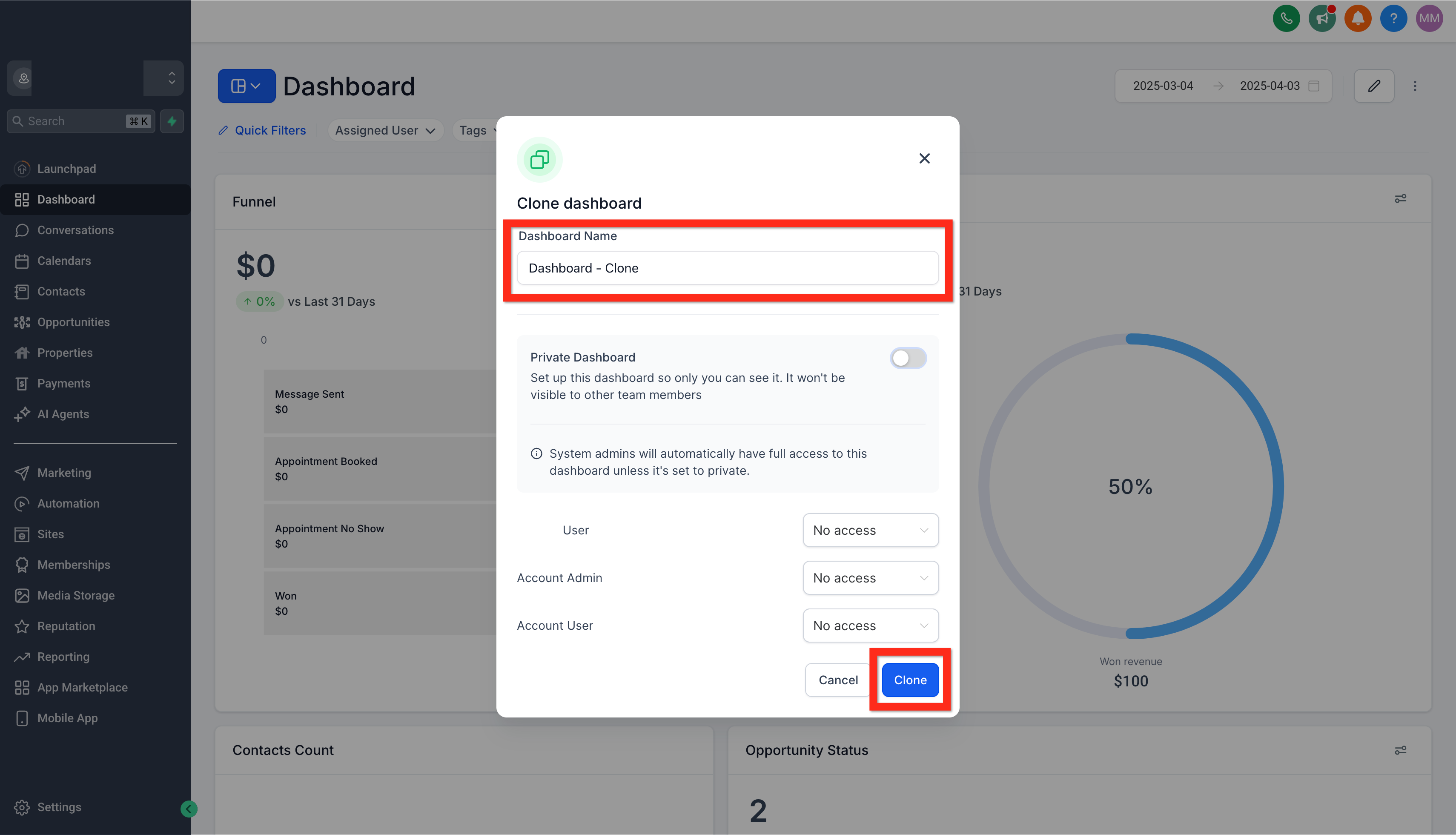
In the Clone Dashboard modal, write the cloned-dashboard title, set the dashboard's privacy/access permissions, then click the Clone button. This will create the new cloned-dashboard with the appropriate settings.
Was this article helpful?
That’s Great!
Thank you for your feedback
Sorry! We couldn't be helpful
Thank you for your feedback
Feedback sent
We appreciate your effort and will try to fix the article