What's New
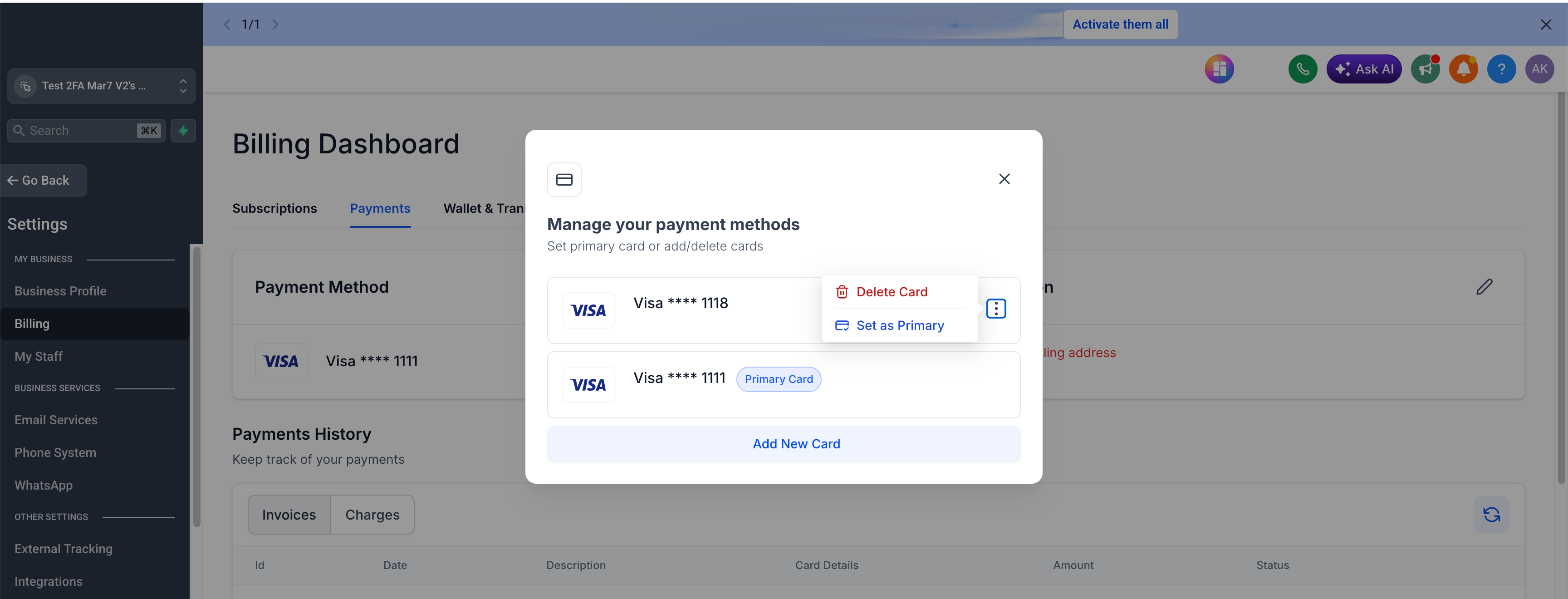
You can now delete a saved payment method from your account. If a card is outdated, expired, or just no longer needed, you can remove it directly instead of leaving it on file indefinitely.
Why It Matters
This gives you full control over the cards saved to your account and keeps your billing dashboard clean and easy to manage — no more sorting through payment methods you no longer use.
Notes
Available for accounts on SaaS v2 system.
Was this article helpful?
That’s Great!
Thank you for your feedback
Sorry! We couldn't be helpful
Thank you for your feedback
Feedback sent
We appreciate your effort and will try to fix the article